I've been off-line much of the time for the last two days. Well half the web was working but most every thing to do with Google would not function at all. Or after restarting a web browser some Google pages would load while others would not. In fact even if a page would load, as soon as I changed pages it would freeze.
To me it appeared that much of Google was off-line, but I could close and re-open the browser and the pages would [sometimes] work, until I changed pages.
At first it looked like an issue with AVG, I had just up-graded to version 9 the week before. I also noticed that AVG had loaded a browser add-on called Safe Search which I wasn't to happy about. So I removed the add-on and things appeared to work in both Firefox and Explorer, but not in Google Chrome.
So I removed the last program that was loaded; Adobe Flash Player. Adobe was upgraded on Dec 25 which is when I started seeing the issue. I assume it was a corrupt install, because I downloaded it again and things still work.
So; Re-install Flash Player if it looks like Javascript is not functioning. Don't bother searching the web, because it appears that thousands of people have the same or similar issues. The only thing you get out of the forums is one post about a program not working and hundreds of follow-up posts of 'me too'.
Removing a Broswer add-on:
Windows Explorer help; select Tools / Internet Options / Programs / Manage add-ons / Disable AVG Safe Search.
I also disabled the add-on Bonjour from Apple.
Saturday, December 26, 2009
Java Script Disabled in Broswer

Friday, November 23, 2007
Declining PC Interface Buses

Following the previous post on the decline of the RS232 bus, I checked the other common PC buses found on computers. Because the article contains a number of graphics I up-loaded it to Google base as a holder for the pictures, the text is duplicated below. Simply mouse over the pictures to see the search trends: Interface Bus Search Terms.
The attached files show the search trends for a number of PC interface buses. The graphs show the number of searches on the terms indicated, all were common PC buses over the last decade.
The SCSI bus shows a large decline in search traffic. SCSI was always an expensive interface to implement and really used mostly by high-end or enterprise users. So it's understandable that when Serial SCSI [SAS] came out users would quickly migrate to using the faster SAS bus.
The RS232 bus used as the main serial interface on the PC for years, is now being left off new computer systems in favor of the USB port. There are a number of reasons to drop the RS232 interface, the size of the 9-pin D connector is just one reason, speed is another.
The term Printer Port also shows a decline in searchs. Printer Port is a generic term used to describe the connector located either on the printer or a PC. A Printer Port may refer to a Centronics interface, IEEE-1284 interface or another other interface used on a printer. However; now that USB and Ethernet connections are showing up on printers it's safe to assume that the searches are being done using those terms.
The Centronics printer port was used on computers almost from the beginning of the PC age. However in the mid 90's the centronics bus started to be replaced by the IEEE-1284 interface which happen to be a better well define standard. By 2005, the IEEE1284 was being left off printers in favor of an Ethernet and/or a USB port.
The PCI bus still exists on PC Motherboards, but is slowing being replaced by the newer faster PCI Express bus [PCIe]. But the decline of PCI has been slower than other interface standards due to the slow implementation of boards using the 1x PCIe interface. While the 16x PCIe slot started to replace the AGP expansion slot by the very first year of release. Note the large increase in searches for the term PCIe.
The AGP interface seems to be hanging on in the PC upgrade market. Not sure how many motherboards are still shipping with an AGP interface.
The Firewire interface doesn't seem to be popular any longer.
The ISA bus [ATbus] also is showing a decline, but not as great as expected. The ISA bus was rendered obsolete by the PCI bus years ago. It could be that as long as industrial legacy computers continue to function they don't require replacement.
The main interface between PC motherboards and Hard Disk Drives [HDD] use to be the IDE [ATA] interface; however most newer models shipped are now using the Serial ATA bus [SATA]. Serial ATA is much faster than normal ATA. Note the increase for the term SATA
The old Floppy Drive is also in decline. With the low cost of USB thumb drives there is no longer a need for a floppy disk drive. Many new computer systems no longer ship with a floppy drive. But you can always purchase an external Floppy drive, normally with a USB interface to the computer.
So, all these buses were common terms just a few years ago, but don't even exist on most new personal computers shipped today.
Thursday, November 22, 2007
The demise of RS232

Back in Dec 05 I posted a blog about the future of RS232. I Indicated that RS232 was basically obsolete. Early this year some one commented on that post with their disagreement and rational.
Of course I was referring to the commercial usage of RS232, there are just to many legacy systems deployed for the military to drop RS232. However, I still don't think new systems should use an RS232 interface. RS232 is specified to drive 10 meters while USB only travels out to 4 meters, but you could use a hub to extend the USB cable. For longer distances without a hub I'd recommend using RS422, or RS485.
Still most computers are not shipping with a RS232 connector on the rear panel any longer. This post shows one style of the newer version of a motherboard I/O panel. I think Dell computers dropped the RS232 interface last year, while Apple dropped it 3 years ago. Users always have the option of adding an expansion card to there computer to add RS232 capability.
Any how, the graphic is google search history for the term RS232. The original post follows:
.... The picture shown above depicts the back panel I/O found on some newer mother boards. Comparing that picture with the one at the bottom of this post and the difference becomes obvious. The RS-232 and IEEE-1284 connectors have been replaced by a heat sink. The video interface has also been removed.
It makes perfect sense to remove the RS232 interface and the other two connectors from the back of computers. The video interface is normally found on the video card, so the 15-pin D-sub connector is not required. Many video cards ship with a DVI and VGA connector, so why have another one the mother board. The 25-pin parallel port connector is out dated. Many new printers ship with an Ethernet port which is much faster then the IEEE-1284 interface bus. With over 6 USB ports to handle any required peripheral, and 2 circular DINs to accommodate a keyboard and mouse the RS-232 interface is just not required.
When you add all this up, the benefit to removing these out-dated interfaces translate to higher speed peripheral connections, reduced cost by eliminating 3 large connectors, and the better use of the motherboard back panel.
In the three different mother boards I looked at the free space was taken up by a heat sink and fan. Both used to vent heat from the chip set ICs
The Apple computers removed the RS232 bus and IEEE-1284 [Printer Port] bus some time ago. The RS232 interface is dead and should not be used for new designs. The IEEE-1284 interface is dead. The 15-pin VGA interface is dead on the newer mother boards. These interfaces should start to disappear next year ...
- I disagree. While RS232 may be dying in the consumer world, it is found everywhere in industry, even in new designs. I bought a laptop three weeks ago, and one of the primary factors in deciding what to buy was having an onboard serial port so I wouldn't have to carry around an often unreliable USB to serial adapter. RS232, and especially RS485 and RS422, while possibly not even on the radar anymore in the consumer world, are guaranteed to be alive and kicking in commercial/industrial/military applications for years to come. Sure, it makes sense to save the space on a piece of crap off the shelf computer from Emachines... but doing so means you're effectively cutting out a segment of the market. The same applies for 1284, though admittedly to a lesser extent. I watched a company buy 17 new computers for employees who each had their own printer at their desks without checking if the computers came with 1284 ports. They ended up buying 17 USB to parallel adapters because it made more sense than throwing away all the older printers that still work great. Sure, it works... but that's just annoying. Let's never take anything out of Apple's playbook. If people want a Mac, they'll buy one, and they'll be so preoccupied with the things Apple tells them they can do on it that they can't think of the things Apple won't let them do.
Monday, September 25, 2006
Computer/TV interface
So I spent the day checking the computer in safe mode, defag, virus .... and did not find anything so I went ahead and did a HP restore.
It booted ok but with a bad video driver, so I put in an ATI CD. It turned out to be the wrong CD, so now when XP loads it a blank screen, and will not go into safe mode...
Tuesday, November 15, 2005
DDR SSTL Interface
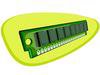
DIMM

I just added a new page covering SSTL switching levels, including SSTL3, SSTL2, and SSTL18.
SSTL-18 is used as the electrical interface for the DDR II memory standard, and the SSTL-2 specification is used with the DDR I memory standard.
The new SSTL page is located under the IC bus listing at:www.interfacebus.com/SSTL_Logic_Interface.html. With that new page, three additional pages were up-dated to point to that new link. The DDR 1 DIMM, and DDR2 DIMM pages and the Interface IC Buses page were updated to include the new link.
The Sub Series Termination Logic [SSTL] standards defined under JEDEC are electrical only specifications, which means normally they only define the timing and switching levels.
DDR I memory modules are currently in wide spread production, while DDR II is seeing only limited use. In fact, AMD does not even support DDR2 memory yet. AMD will not support the DDR II standard until they introduce their new M2 processor socket which is not due out until the second quarter of 2006. The M2 socket will provide a re-designed on-die memory controller allowing DDR-2 support, and at the same time obsolete the processor socket 939.
My system uses a socket 939 AMD processor. I'd like to get my next system early next year, so I my be stuck with my current socket and DDR I memory modules again. I doubt I would wait another four months just to pay a premium for the new stuff. Although the price difference between DDR and DDR2 DIMMs seems to be zero. I'm sure the M2 socket will be pricey when it first comes out. That may just leave me with a dual core 939 processor with the same DDR memory
DDR stands for Double Data Rate [Memory], DDR I may also be seen as DDR1 or just DDR, and DDR2 may also be DDR II.
DIMM stands for Dual In-Line Memory Modules
You can find definitions, speed grades and a list of manufacturers on the Memory Module page.
